
Tips 'n' Tricks
13 Apr Turn Views Into Fans: Add Your Paid Platforms to RedGIFs
Every view on RedGIFs is a chance to grow your audience.
Turning those views into fans comes down to one thing: making it easy to find more of you.
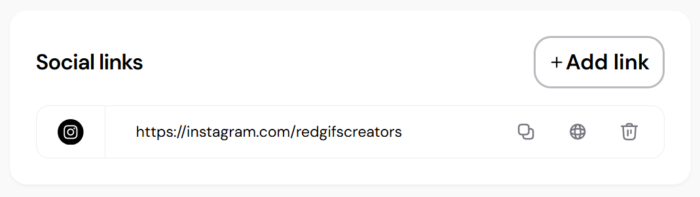
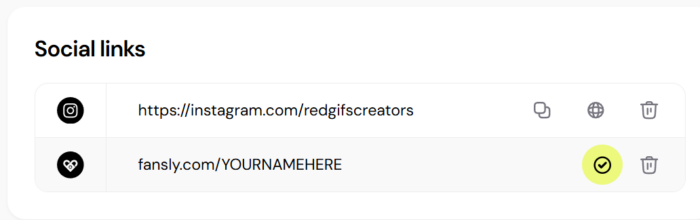
Add your paid platforms like OnlyFans, Fansly, Clips4Sale, and more to your profile, and manage everything in Studio.
Your content is already doing the work of getting noticed. Now it needs to guide fans to what comes next.
By adding your paid and social links to your profile, you can:
The easier it is to find you, the more likely fans are to follow, subscribe, and support.
We have simplified how you add and manage your links so you can stay focused on creating.
Everything now lives in Studio, giving you one place to control your profile and keep your links up to date.
Getting set up takes just a few steps:
Take a moment to check that your links in Studio are still active and up to date.
If a link is broken or outdated, fans may not be able to find you when it matters most.
Adding your links is just the start. Knowing where your fans go is what helps you grow.
Inside your analytics dashboard, you can see which links fans are clicking and where your traffic is going.
If fans are landing on platforms that are not your priority, adjust your links to guide them where you want them to go. In many cases, fewer links does not mean fewer clicks, it just focuses your traffic on what matters most.
The more intentional you are, the more control you have over your results.
Your RedGIFs profile should not just showcase your content. It should actively help you grow.
By adding your paid platforms to your profile, you’re turning passive views into real opportunities for engagement, followers, and revenue.
Open Studio, update your profile, and start turning your views into fans.